KeepFloat keeps your books and your client invoicing together, and they talk to each other. The moment an invoice is paid, it lands in your ledger. Automatically.
Every number on this screen lives in your workspace alone, and goes nowhere else.
Isolated schema · encrypted backups · your own Microsoft 365 for email · tamper-evident audit logThat connection is the whole point. Record a payment on an invoice and a matching deposit posts to the right account, categorized, tagged with its source. One client check covering five invoices? One entry. Your A/R and your bank balance can never drift apart. Don't even want to click? Forward the client's payment email to your private KeepFloat address and it records itself.
Accounts, a fast ledger register, transfers, reconcile-against-statement, envelope budgets, goals, bills, recurring, everything a serious personal-finance tool has, minus the cloud.
Per-client rate rules, live preview, beautiful PDFs, sent from your own email. Estimates, late fees, auto-billing schedules, even an optional Stripe pay-online link.
Your workspace gets its own database schema, not rows sharing a table with everyone else. Backups are encrypted, nothing is analyzed or sold, and no third party is watching. Export the whole thing and leave whenever you like. We run the server, so we call that a commitment we keep rather than a physical impossibility.
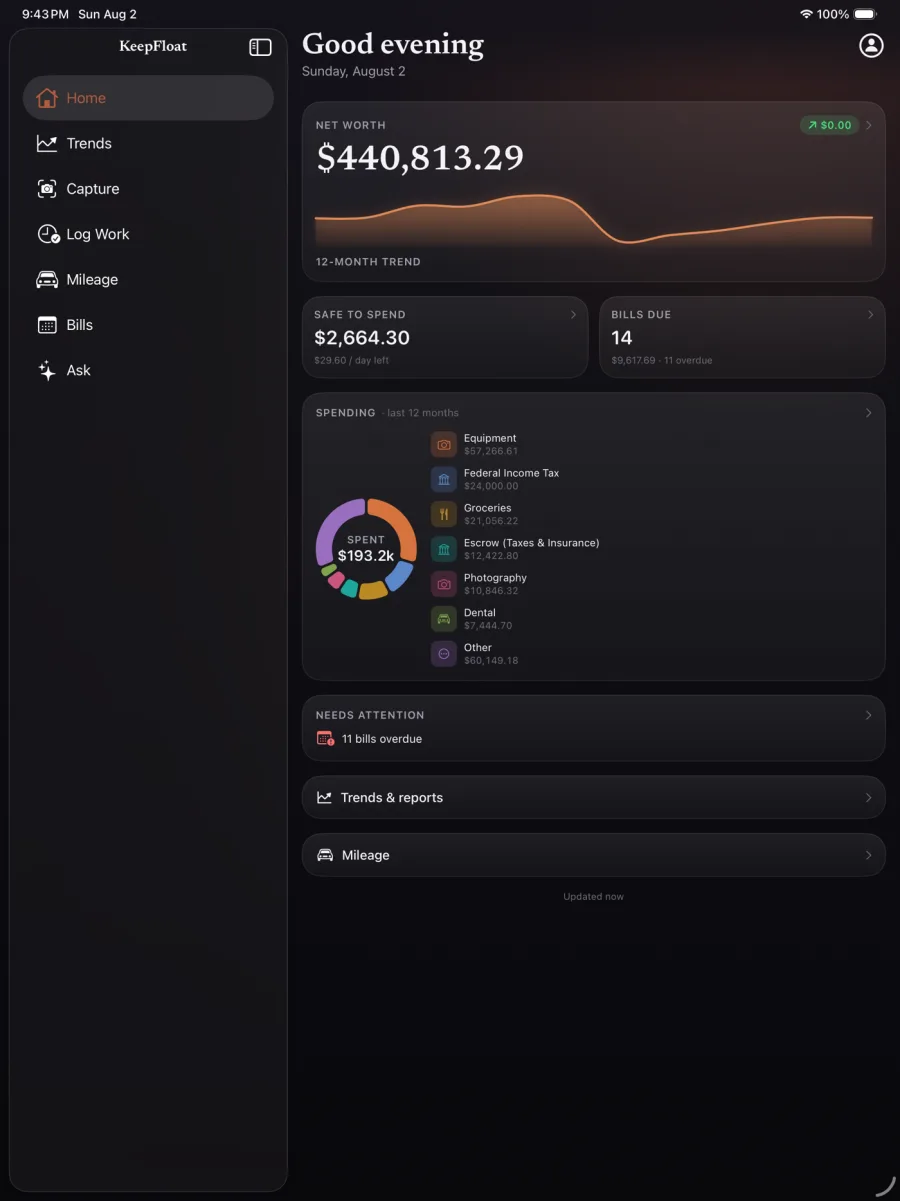
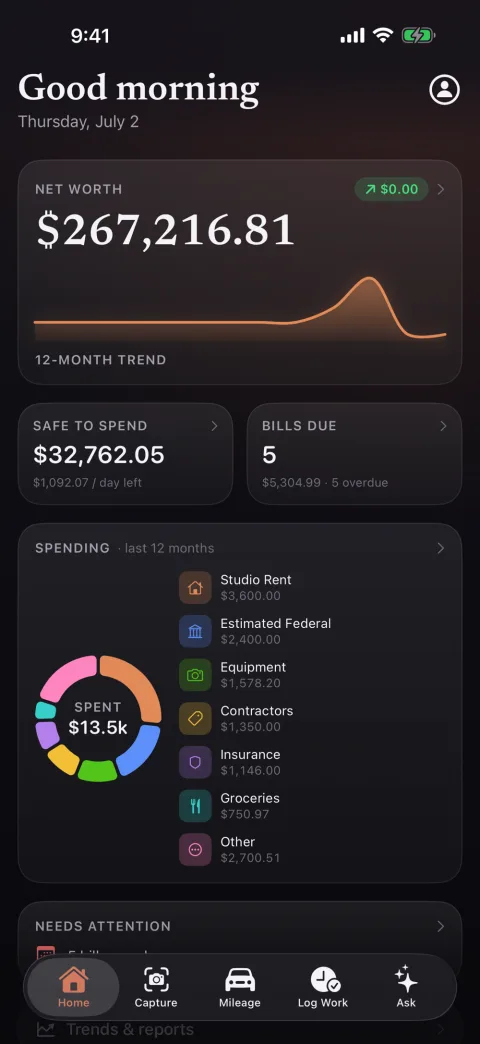
A dashboard that answers the only question that matters, am I okay?, then lets you go as deep as you like.
Every account, checking, credit, cash, investment, asset, liability, in one fast register with splits, tags, linked transfers, and source badges that show exactly where an entry came from.
Envelope budgets with rollover, a safe-to-spend number with a per-day pace, savings and debt-payoff goals with projections, and a cash-flow forecast that warns you about low balances before they happen.
Set each client's rates, rounding, minimum charge, tax exemption, and recurring items once. From then on, invoices nearly write themselves.
Invoices render to clean PDFs and go out through your own Microsoft 365 account, no third-party sender, no "via someotherapp.com". PDFs file themselves into each client's folder.
P&L, net worth, revenue by client, a full mortgage report, a cash-flow forecast, and a tax center that maps your categories to Schedule C, keeps a mileage log with business-use percentages, and assembles a year-end packet. Plus an Integrity page that proves transfers net to zero, and a tamper-evident, hash-chained audit log of every change.
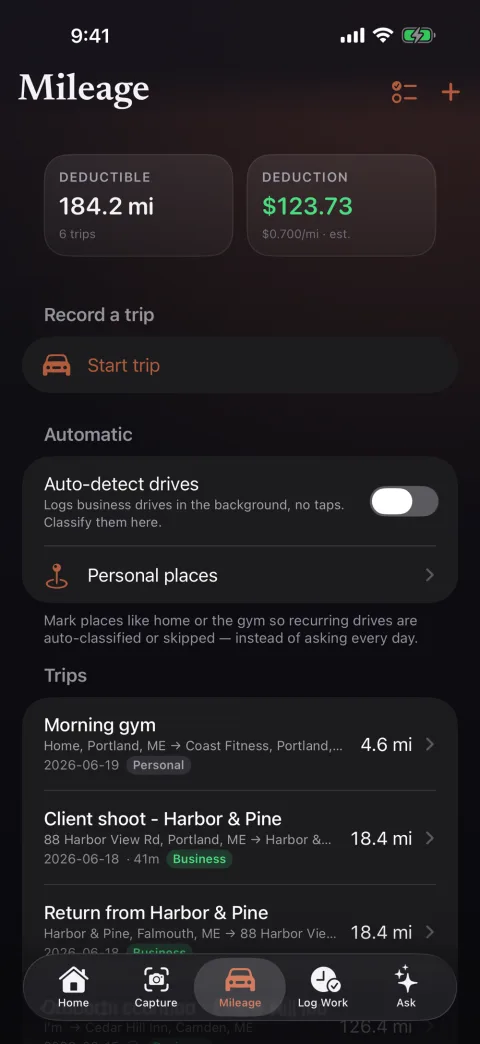
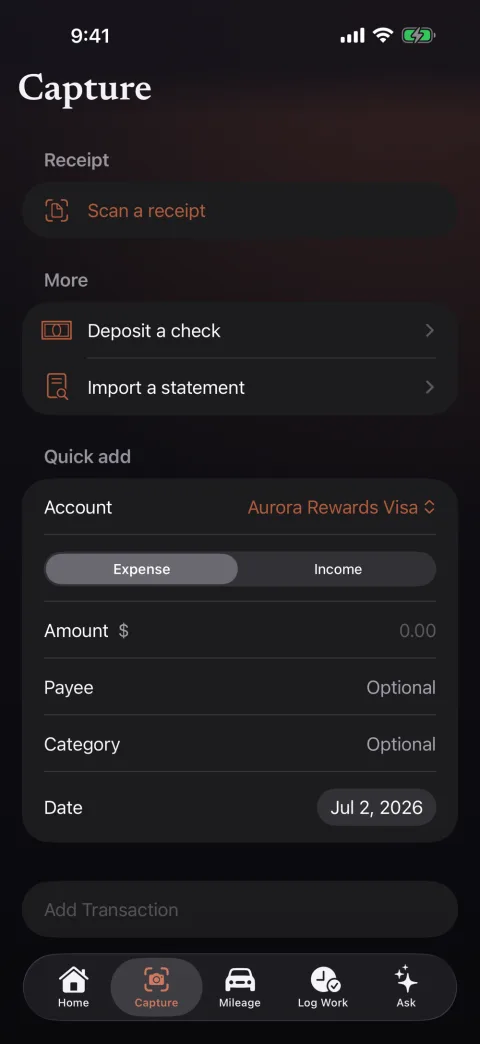
KeepFloat for iPhone and iPad is a free companion on the App Store: sign in once, approve with Face ID, and handle the money moments that happen away from your desk.
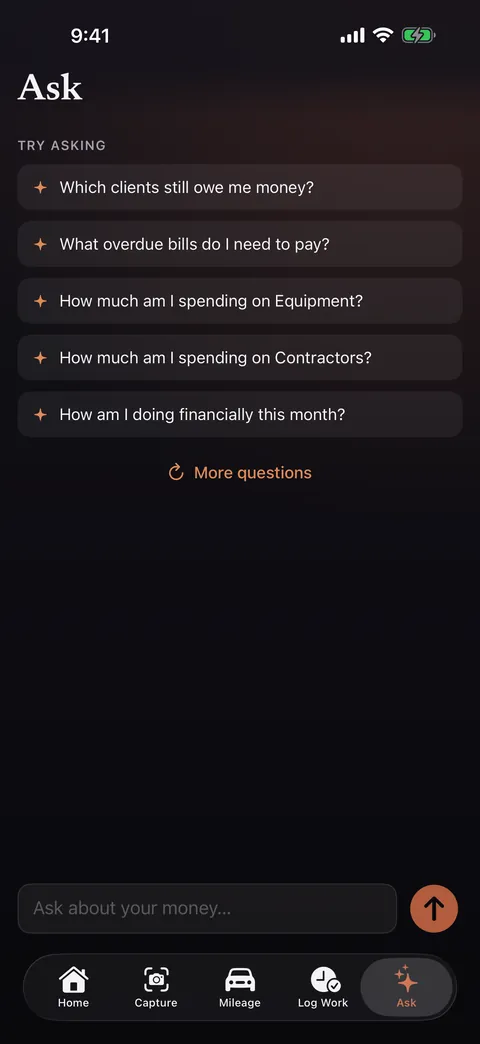
Every AI feature is opt-in behind a master switch, and works with the provider you choose, including a model that runs on our own hardware, so your numbers need never reach a third-party AI company.
An agentic assistant grounded in your real data through tools, it queries your ledger, never hallucinates a balance, and asks before any guarded action.
KeepFloat is hosted, and your workspace gets its own database schema rather than rows sharing a table with everyone else. Backups are encrypted. Nothing is analyzed, profiled, or sold, and there are no third-party trackers. Invoice email goes out through your own account and PDFs are filed into your own folders. You can export everything and leave whenever you want.
Every copy of KeepFloat is the whole app, nothing held back for a higher plan.
Short, straight answers, the same ones we'd give you over email.
Yes, and it is worth being exact about what that means. KeepFloat is hosted: your books live on our server, in a database schema that belongs to your workspace alone rather than rows sharing a table with every other customer. Nothing is profiled, mined, or sold, there are no third-party trackers or analytics, and backups are encrypted. You can export everything and leave whenever you like. What we will not claim is that your data is beyond our reach, because we run the server. Privacy here is a commitment we keep, not a physical impossibility. Invoice email still goes out through your own Microsoft 365 account, and PDFs are filed into your own folders.
Yes. KeepFloat imports OFX, QFX, QIF, and CSV with a column mapper and a duplicate-safe merge, so re-importing an overlapping file won't create double entries. That covers exports from Quicken, most banks, and the usual personal-finance apps. It also reads PDF statements, even photographed ones, validates them against the statement's own totals, and remembers each bank's layout so the next statement imports itself.
It sends them. Per-client rate rules and a live preview produce a polished PDF, emailed under your business's name. Connect your own Microsoft 365 mailbox and invoices go out from your address; otherwise we send them for you, with replies routed back to you. Record the payment and a matching, categorized deposit posts to the right account automatically, so your A/R and your bank balance can't drift apart.
KeepFloat runs in your browser, so there is nothing to install and nothing to keep patched. We host it for you: each workspace gets its own isolated database schema, encrypted backups, and an export you can take elsewhere at any time. There is also a free companion app for iPhone and iPad on the App Store.
Yes: KeepFloat for iPhone and iPad, a free companion on the App Store. Sign in once, approve with Face ID, and capture the things that happen away from your desk: log a trip for the mileage deduction, snap a receipt, deposit a check, log billable work at a client's property, send an invoice, record a payment. It talks only to your own KeepFloat, nobody else's.
It stays yours and stays readable. You can export the whole workspace at any time, as a standard database dump or as CSV and Excel from any list in the app, and there are on-demand and scheduled snapshots built in. There's no lock-in, and nothing stops you taking it elsewhere.
KeepFloat is getting ready for the public. Leave your email and you'll hear from us the moment it's available, or write to us with a question. Already have access? Log in.
Thank you, we'll be in touch. In the meantime, the rest of this page is the full tour.

Your money and your invoices, in one calm place. Hosted for you, isolated from everyone else, and answering to no one but you.